
THE ONLINE PHOTO STUDIO
Birthday Scrapbook Video Template
Make a birthday scrapbook video from 5–8 favorite photos. Cream paper, a celebration ribbon and confetti set the mood, while your title and date make it personal. Arrange a short birthday photo story for the person you are celebrating.
- 5–8 photos
- 10–15 seconds
- MP4 video export
03 / PAPER THEMES
Find the paper for your story.
One collection, three paper moods. Choose a theme, then make it your own.
Explore the library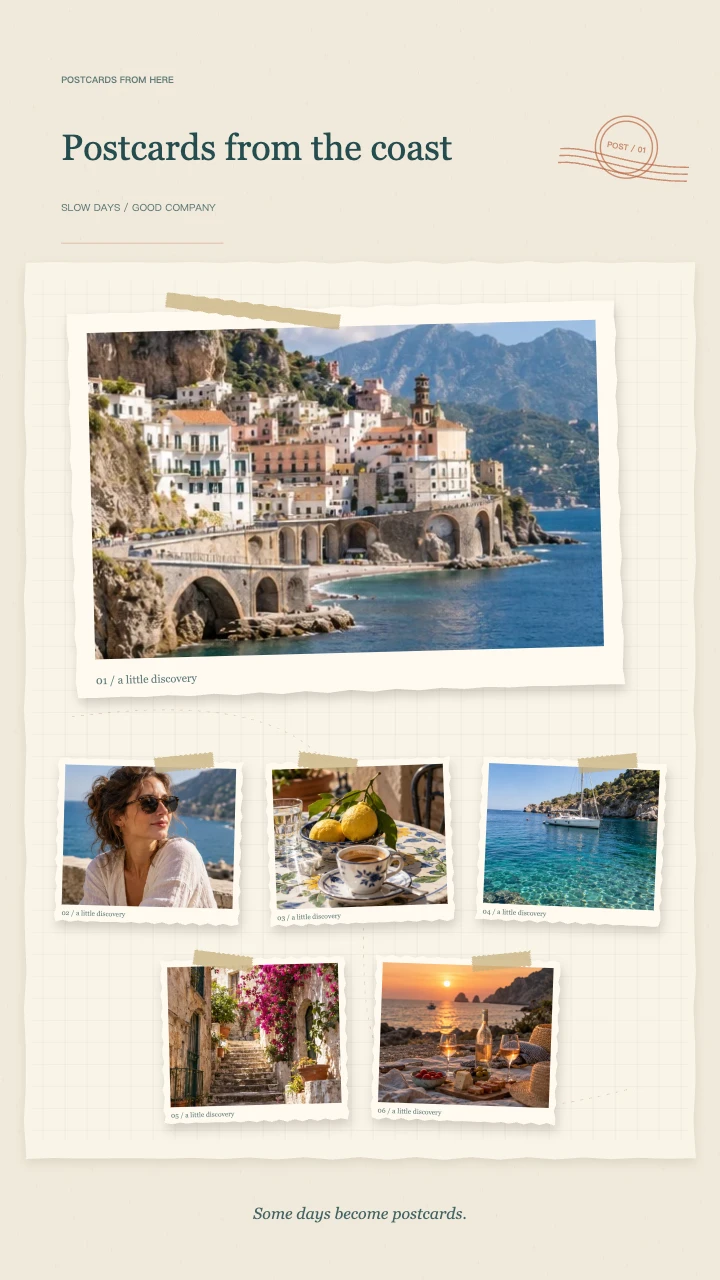
Travel journal
A wide postcard, layered snapshots and travel-journal details for the places you want to remember.
Open template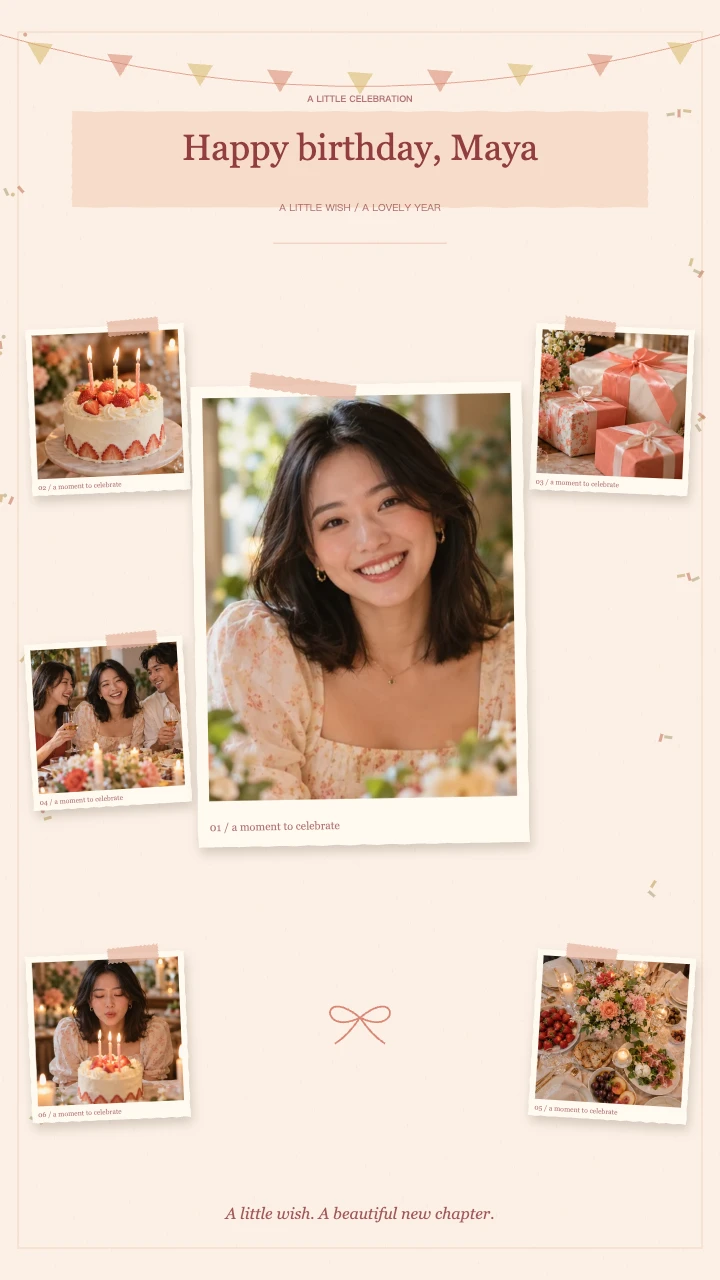
Birthday wishes
A portrait in the spotlight, favorite memories around it and a little confetti to celebrate.
Open template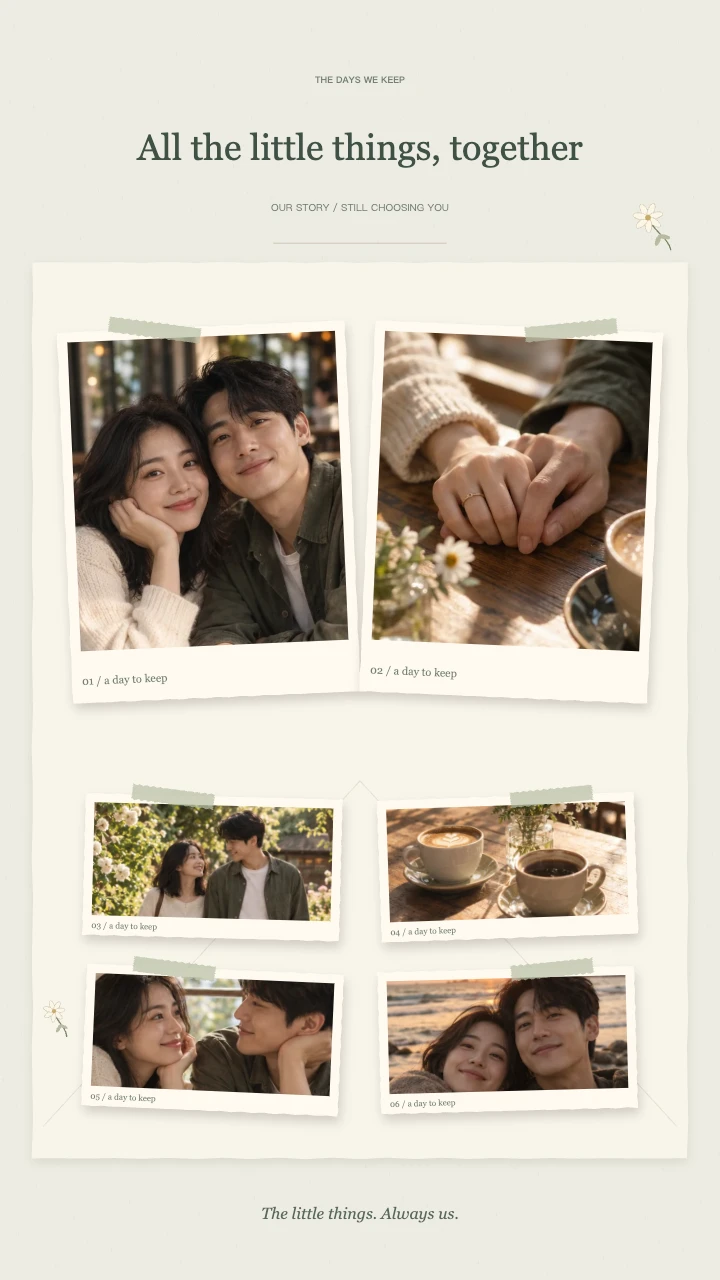
Our little story
Two keepsake prints, soft botanical details and a slower unfolding of your shared days.
Open templateAI-generated demo photos · fictional people and scenes · replace with your photos
Choose memories for a personal birthday scrapbook video
For a birthday memory video, start with a recognizable portrait, then add a shared experience, a funny everyday moment and a picture with friends or family. The last group can include a recent photo or a moment that feels like the start of a new chapter.
A birthday scrapbook video does not need to cover every year. Five carefully chosen pictures can say more than eight nearly identical portraits. If older photos are small or soft, use a modest zoom and check the preview before choosing 1080p.
Add a name or wish to your birthday scrapbook video
Try Happy Birthday, Maya, Twenty-One Little Adventures or Another Beautiful Chapter. The note can hold the birthday date, an age or a short personal line. Long letters are better kept in the message that accompanies the video.
This birthday scrapbook template loads the Birthday Wishes theme automatically. It adds confetti and cream paper while preserving your original photo colors. It does not add a personalized candle illustration, age number graphic or sung birthday track.
Frame a birthday photo video before you render
When several people share a photo, make sure everyone important stays inside the visible card. Use the horizontal and vertical focus controls rather than relying on the first center crop. Look at each entrance and pause on the ending to review the full page.
A vertical birthday scrapbook video fits a short story post; a square canvas keeps the final collage compact. Landscape can be useful when this animation is an introduction to a longer celebration video. The layout adapts to your chosen canvas.
Keep a birthday video you can send or edit
Choose a 10, 12 or 15-second birthday scrapbook video and export a standard 30fps MP4. You can include the original instrumental melody or use a silent file and add your own soundtrack in another app.
Preview is free. Sign in for a 720p export at 1 credit or a 1080p export at 2 credits. Save the file before the celebration: the generated video and thumbnail remain in your account for 90 days, not forever.
Give your birthday scrapbook video a clear beginning
A birthday scrapbook video should introduce the person before moving through the memories. A clear portrait works well as the first image, followed by experiences that friends or family will recognize. You can tell the story in time order, or arrange it around a shared interest such as travel, cooking or ordinary adventures.
End the birthday scrapbook video selection with a recent image or a favorite memory rather than whichever file happened to upload last. Check the photo order before cropping, then revisit the moving preview after changes. A deliberate sequence makes a small collection feel like a personal message instead of an automatic camera-roll summary.
Make a birthday scrapbook video from older pictures
A birthday scrapbook video can combine childhood photographs with newer phone pictures. The difference in color and texture can be part of the memory. Choose the clearest available copies, and avoid a tight zoom on a small scanned print. Increasing export resolution does not create detail that the original photograph never contained.
Preview the birthday scrapbook video with particular attention to those older images. If a face looks soft, try a wider crop or replace the source with a better scan. The tool provides framing and movement, not photo restoration, face reconstruction or automatic color correction for damaged family photographs.
Match a birthday scrapbook video to the occasion
A birthday scrapbook video sent privately can feel different from one posted for a wider audience. For a close friend, ordinary moments and a shared phrase may say more than formal portraits. For a family celebration, choose recognizable pictures and keep the title readable without requiring an explanation from the person presenting it.
Review permission before sharing a birthday scrapbook video publicly, especially when children or other guests appear. You can remove a photo and use a different memory without changing the whole theme. The tool does not decide who may see the finished file; choose the audience in the messaging or publishing service you use.
Prepare your birthday scrapbook video before the day
Make the birthday scrapbook video early enough to watch the exported file and correct a misspelled name, wrong date or awkward crop. Choose 720p for a lighter file or 1080p when the device supports it and the pictures justify the extra resolution. Export time depends on your browser and hardware.
Keep the downloaded birthday scrapbook video alongside the original pictures. If it will introduce a longer greeting, import the MP4 into your preferred editor and add your spoken message there. Use a licensed soundtrack if replacing the optional melody; this generator does not include a library of commercial birthday recordings.
FAQ
A few things worth knowing.
The details on your photos, free previews and finished videos.
Can I make a birthday video from childhood and recent photos?
Yes. Mix 5–8 images and arrange them in the order that tells the story. Review older or lower-resolution photos at the export size; zooming in cannot recover missing detail.
Can I put the birthday person’s name in the video?
Yes. Use the title for their name or a short wish, and the note field for the date, age or another brief line.
Does this birthday template include a birthday song?
It includes an optional original synthesized melody, not a recorded or sung birthday song. You can export without sound and add a licensed track in another editor.
Is the birthday scrapbook video free?
Editing and preview are free without an account. Sign in to export: 720p costs 1 credit and 1080p costs 2 credits. The tool uses your existing account balance; there is no separate first-export allowance. Failed or cancelled exports release reserved credits. Download the finished MP4 to keep a local copy.
Your next memory, on paper.
Bring 5–8 photos. Start with a free preview.