
THE ONLINE PHOTO STUDIO
Scrapbook Video Maker
Create a scrapbook animation with your own photos, torn paper frames and taped details. This online scrapbook video maker handles the arrangement and motion, while you choose the photos, title, date and theme. Build a 10–15 second moving memory without laying out every card by hand.
- 5–8 photos
- 10–15 seconds
- MP4 video export
03 / PAPER THEMES
Find the paper for your story.
One collection, three paper moods. Choose a theme, then make it your own.
Explore the library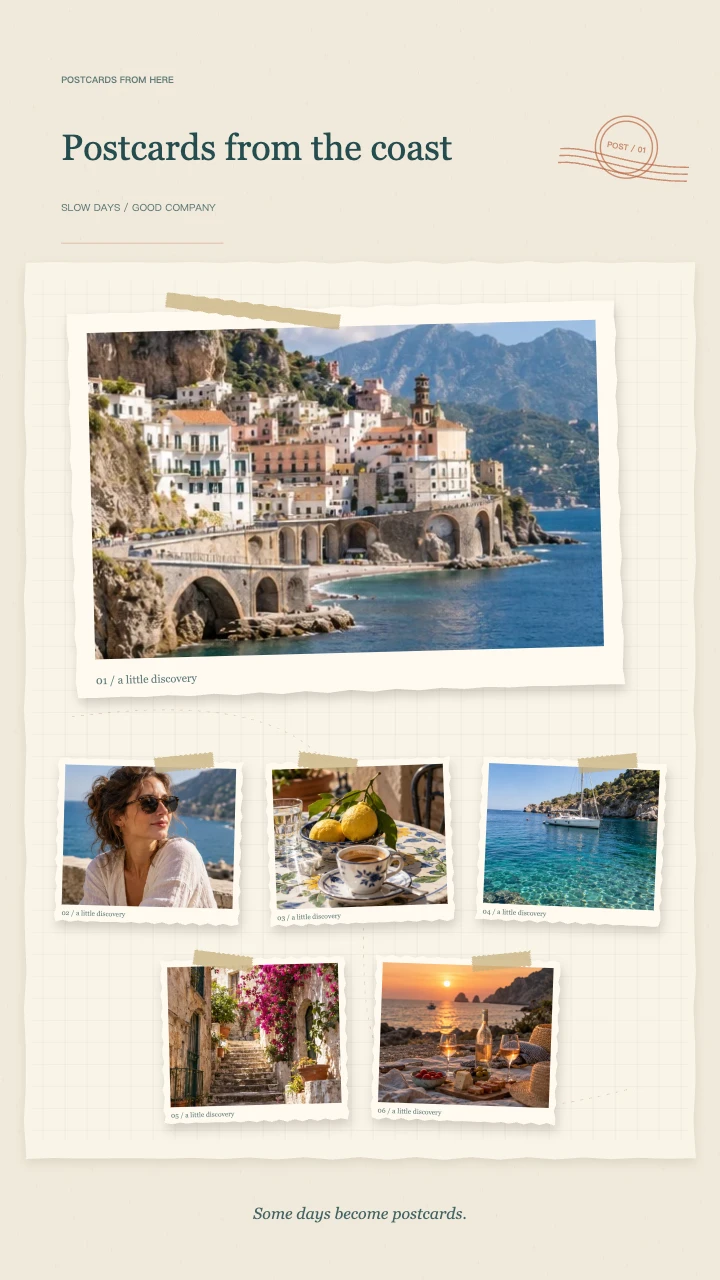
Travel journal
A wide postcard, layered snapshots and travel-journal details for the places you want to remember.
Open template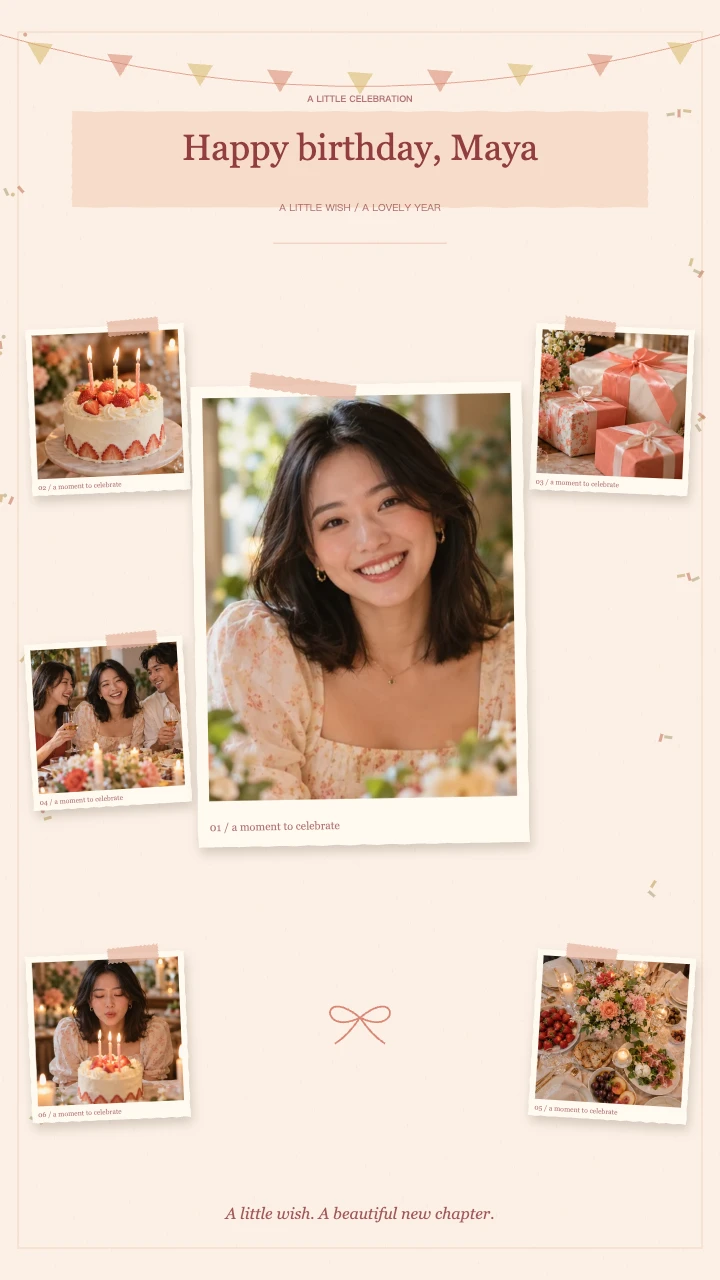
Birthday wishes
A portrait in the spotlight, favorite memories around it and a little confetti to celebrate.
Open template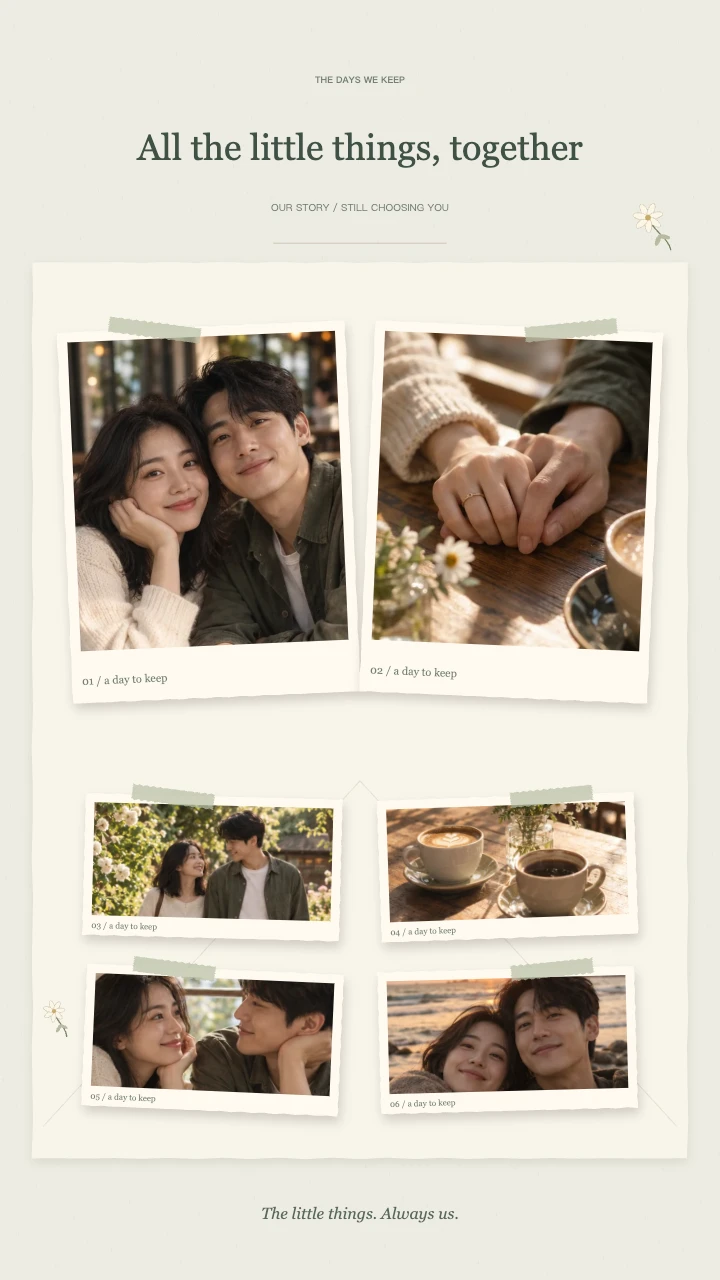
Our little story
Two keepsake prints, soft botanical details and a slower unfolding of your shared days.
Open templateAI-generated demo photos · fictional people and scenes · replace with your photos
What makes this scrapbook video maker different?
In this scrapbook video maker, paper is part of the storytelling. Photos arrive as physical-looking cards with uneven edges, small rotations, tape and contact shadows. Each group gets a moment on screen before the sequence pulls back to the complete page.
The final composition keeps every uploaded picture in the collection. This makes the ending useful as a closing beat or a frame to pause on. It is different from the single-photo paper unfolding effect in Paper Animator, and different from a printable scrapbook album.
Choose a scrapbook style for your story
Travel Journal uses a wide cover photo, smaller postcards and a travel stamp. Birthday Wishes places a portrait in the spotlight with surrounding memories and confetti. Our Little Story pairs two keepsake prints with quiet botanical details and a slower rhythm for shared memories.
The three themes share the same scrapbook video maker workflow, but their compositions and motion differ. You can still use the same images and choose your own title. Open a themed template below when you want to start with a specific occasion already selected.
How to use this scrapbook video maker
Bring 5–8 connected photos into the scrapbook video maker. Start with a picture that establishes the place or people, add details in the middle, and keep a memorable image for the later group. Similar exposure and color help the photos feel like one collection.
Choose a short title that remains readable beside the paper details. The second text field can hold a date, location or personal note. Review the sequence at normal speed: a photo that looks good in the ending can be cropped differently while its card is moving.
- Use five photos if the subjects need more attention.
- Leave breathing room around faces and important objects.
- Keep the title short; put longer messages in your post caption.
Scrapbook video maker preview and export options
Use the scrapbook video maker without signing in to upload, arrange and preview. Play or scrub through the animation, then use View Ending to check the final layout. You can change the theme, picture order and duration before committing credits to a render.
Export a 30fps MP4 in vertical, square or landscape format. 720p costs 1 credit and 1080p costs 2 credits. Original photos are processed locally; only the finished export and thumbnail are uploaded to your account, where they are available for 90 days. Save your own copy for long-term keeping.
Plan a visual story for the scrapbook video maker
A scrapbook video maker works best with pictures that have something in common. That connection can be a weekend, a person or a feeling rather than a strict timeline. Choose one image that introduces the story, then include details that make it specific: a familiar table, a ticket-free station scene or an ordinary walk.
Before adding everything to the scrapbook video maker, remove repeated angles and images that need a lengthy explanation. A small, coherent collection gives each card a purpose. Pair a wide photograph with a closer view so the sequence changes scale while retaining the same paper-style visual language.
Make readable titles in the scrapbook video maker
Treat the scrapbook video maker title as a label on a real keepsake. A few words usually leave more room for photos than a complete paragraph. Use the separate note for a month, place or brief dedication. Preview both lines on the canvas you will actually export, especially for vertical viewing.
The scrapbook video maker supplies the animated scrapbook layout, not a text-heavy presentation. When your message needs several sentences, put the longer version in the caption or an accompanying card. This keeps the moving paper details from competing with small type and lets the photographs carry the emotional part of the story.
Continue editing after the scrapbook video maker
Export from the scrapbook video maker when the photo arrangement feels finished. A standard MP4 can be added to a longer project as a short memory sequence, introduction or closing scene. The animated frames are rendered into the video; they are not separate layers that another editor can rearrange independently.
Use the scrapbook video maker for the paper animation and your usual editor for additional voice-over, captions or mixed clips. Keep the original photos if you may want to change the story later. This version does not save an editable cloud project, so avoid closing the tab before finishing the work you need.
FAQ
A few things worth knowing.
The details on your photos, free previews and finished videos.
What is a scrapbook video maker?
It turns several photos into a short paper-style animation. This generator combines framed photos, tape, a title and a final collage, rather than creating a printed album or a freely editable page layout.
How many photos do I need for a scrapbook animation?
Use 5–8 JPG, PNG or WebP photos. Five keeps the story focused; eight includes more details. You can reorder, replace or remove images before exporting.
Can I use this as an online scrapbook maker for printing?
This tool produces an MP4 video, not a print-ready album, PDF or multi-page book. Choose a dedicated static design tool if your main goal is a printed scrapbook.
Is the scrapbook animation free to preview?
Editing and preview are free without an account. Sign in to export: 720p costs 1 credit and 1080p costs 2 credits. The tool uses your existing account balance; there is no separate first-export allowance. Failed or cancelled exports release reserved credits. Download the finished MP4 to keep a local copy.
Can I choose my own photos, title and date?
Yes. Replace the AI-generated demo photos with your pictures, change the title and note, and adjust each picture’s focus. The optional soundtrack is generated by this tool; no third-party song is required.
Your next memory, on paper.
Bring 5–8 photos. Start with a free preview.