
THE ONLINE PHOTO STUDIO
Scrapbook Video Templates
Choose from three scrapbook video templates for a trip, birthday or shared memory. Each theme opens the same editor with its composition already selected. Replace the AI-generated demo photos with 5–8 of your own pictures, then adjust the title, note, order and framing.
- 5–8 photos
- 10–15 seconds
- MP4 video export
03 / PAPER THEMES
Find the paper for your story.
One collection, three paper moods. Choose a theme, then make it your own.
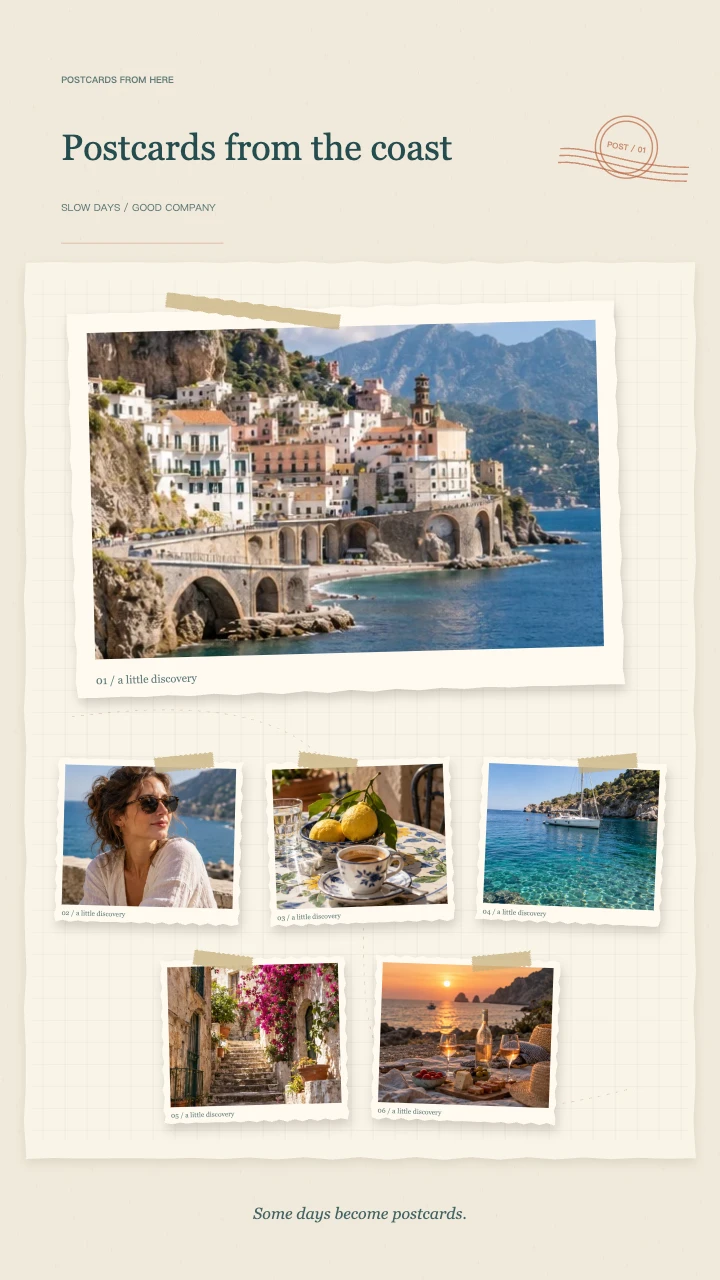
Travel journal
A wide postcard, layered snapshots and travel-journal details for the places you want to remember.
Open template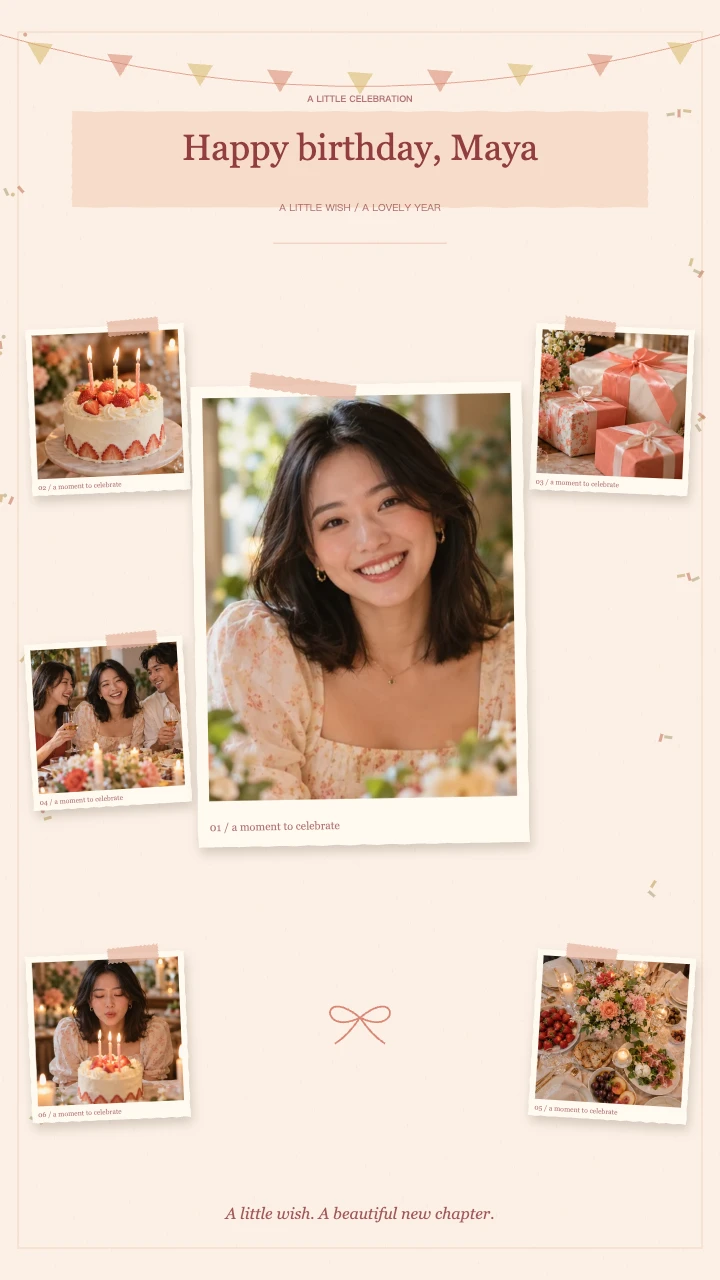
Birthday wishes
A portrait in the spotlight, favorite memories around it and a little confetti to celebrate.
Open template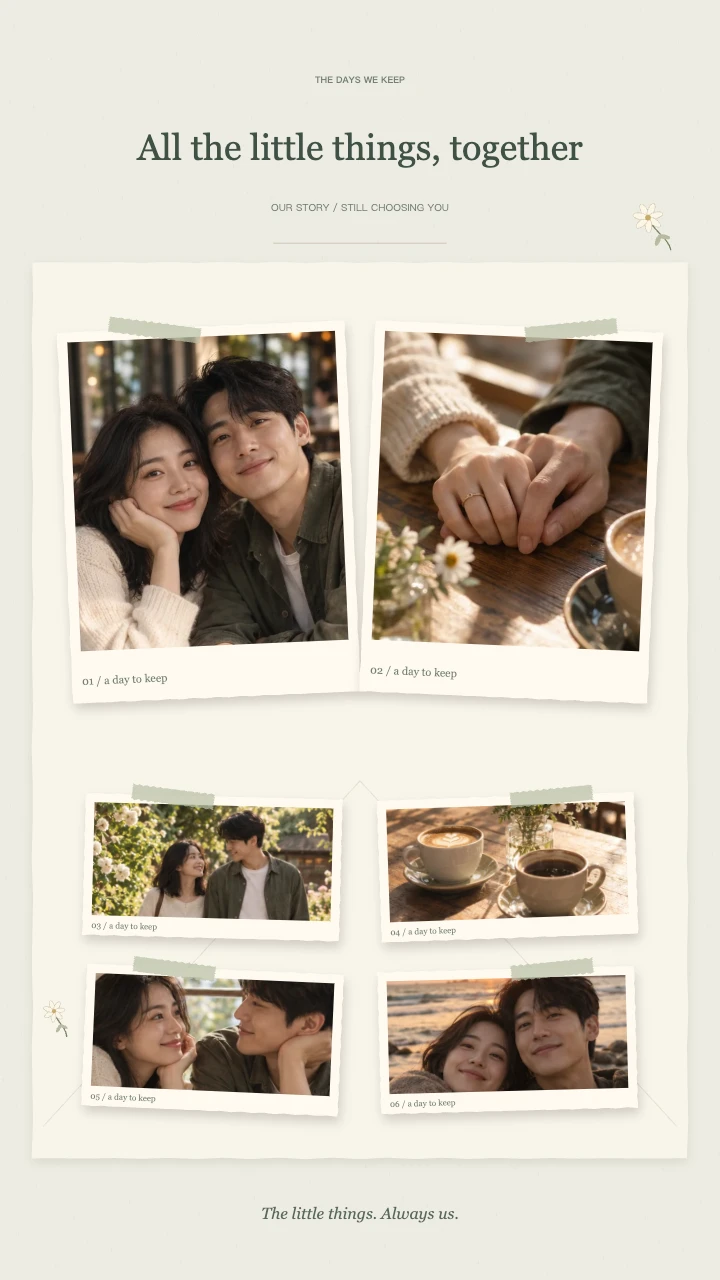
Our little story
Two keepsake prints, soft botanical details and a slower unfolding of your shared days.
Open templateAI-generated demo photos · fictional people and scenes · replace with your photos
Compare scrapbook video templates by occasion
These scrapbook animation templates share a paper-based look. Travel Journal pairs warm paper and a travel stamp with trip photos and everyday discoveries. Birthday Wishes adds rose-toned paper and confetti for a celebration. Our Little Story uses neutral paper and a quieter ending for anniversaries and couple memories.
The layouts differ: travel has a wide cover and postcard details, birthdays place the main portrait in the spotlight, and anniversaries pair two keepsake prints. They share one editing system. A separate theme purchase is not required: export quality determines the credit cost.
Customize a template with your own pictures
Open a theme, add 5–8 JPG, PNG or WebP photos and put them in story order. Check each focus, especially in group portraits. Add a short title and a date or personal note. Choose vertical, square or landscape output before the final crop review.
A travel scrapbook template, birthday scrapbook template or anniversary scrapbook template here is a configurable online video, not an editable After Effects project, a downloadable Canva design or a printable album. The finished result is a 10–15 second MP4 that you can post or import into another editor.
Preview first, then choose export quality
Editing and full preview are free without an account. Sign in when you are ready to export. A 720p video costs 1 credit; a 1080p video costs 2 credits. The optional original melody is available with any theme.
Browser encoding support varies. Test 720p if your device cannot render 1080p, and download a local copy of any finished video you want to keep beyond the 90-day account storage period.
Choose scrapbook video templates for travel memories
Travel scrapbook video templates work well when your pictures share a place or outing. Start with a destination view, add people and small discoveries, then finish with a favorite memory. The Travel Journal theme supplies warm paper, postcard details and a travel stamp without requiring you to arrange those decorative elements individually.
These scrapbook video templates do not generate a route map or recognize locations in your photos. Put the destination in the title or note if it matters to the story. A city weekend and a countryside walk can use the same theme; the selection and order of pictures make each recap different.
Use scrapbook video templates for birthday wishes
Birthday scrapbook video templates turn a small photo collection into a personal greeting. Begin with a recognizable portrait, add shared experiences and finish with a recent image or favorite moment. Birthday Wishes combines rose-toned paper and confetti, while the editable title leaves room for a name or short dedication.
When choosing scrapbook video templates for a birthday, consider the recipient before the decoration. A quiet set of family pictures can matter more than a busy sequence of party photos. There is no sung birthday track or custom candle graphic here; use the optional instrumental melody or add your own licensed audio after export.
Pick scrapbook video templates for anniversaries
Anniversary scrapbook video templates can follow years together or celebrate ordinary days. Choose an early memory, a familiar place and a recent picture, then add a short line that connects them. Our Little Story uses neutral paper and quieter decorative details so the photos remain the main subject of the finished sequence.
You can also use these scrapbook video templates for a relationship recap without a formal anniversary. Replace the example title and note with your own words. Keep longer letters in an accompanying message: the animation has short text fields, not a multi-page book layout or an automatically written dedication.
Compare scrapbook video templates on your actual canvas
Preview scrapbook video templates in the aspect ratio you intend to use. A vertical canvas gives the paper story a tall layout, while square and landscape choices arrange the composition differently. Pick the ratio before doing your final crop checks, particularly when several people share a wide group photograph.
The scrapbook video templates accept mixed portrait and landscape pictures without stretching them. Each image has focus and zoom controls to help preserve its subject inside the frame. Review the moving entrances as well as the ending; a picture can appear comfortable in the final collection yet need adjustment during a closer moment.
Set the pace of your scrapbook video templates
The same scrapbook video templates can run for 10, 12 or 15 seconds. Shorter timing makes a compact introduction, while a longer sequence gives viewers more time to recognize the pictures. Try the choices with your own photos rather than judging pace only from the AI-generated examples in the editor.
These scrapbook video templates share an editor while using distinct animation sequences. Travel moves between postcard groups, birthdays build around a lead portrait, and anniversaries reveal paired memories more gently. Selecting another occasion does not add a freely editable timeline, automatic beat detection or additional picture slots.
Finish and keep your scrapbook video templates output
Use scrapbook video templates to create a finished MP4, then download the version you want to send or edit further. A standard video can become part of a longer celebration edit, a travel recap or a private message. The paper frames and photos are rendered together, not exported as independently editable layers.
Keep the original pictures when working with scrapbook video templates, because this version does not synchronize an editable project to your account. Only the finished export and thumbnail are stored there for 90 days. Review names, dates, crops and sound before sharing, and save a local backup for memories you want to keep.
FAQ
A few things worth knowing.
The details on your photos, free previews and finished videos.
Are these downloadable project templates?
No. Each card opens a configurable generator in your browser. You customize your photos and export an MP4, not an After Effects, Premiere or Canva project file.
Can I try another theme before paying?
Yes. You can switch themes inside the editor and preview the result without spending credits. Credits are reserved only when you start an export.
What is included with each scrapbook video template?
The selected paper style, frames, tape or simple decorations, photo animation, editable title and note, final composition and optional original melody. All themes accept 5–8 photos.
Your next memory, on paper.
Bring 5–8 photos. Start with a free preview.