
THE ONLINE PHOTO STUDIO
Anniversary Scrapbook Video Maker
Create an anniversary scrapbook video with photos of the days you share. Neutral paper, taped frames and a quiet closing line make room for the pictures. Add your names, a date or one meaningful sentence to a short couple memory video.
- 5–8 photos
- 10–15 seconds
- MP4 video export
03 / PAPER THEMES
Find the paper for your story.
One collection, three paper moods. Choose a theme, then make it your own.
Explore the library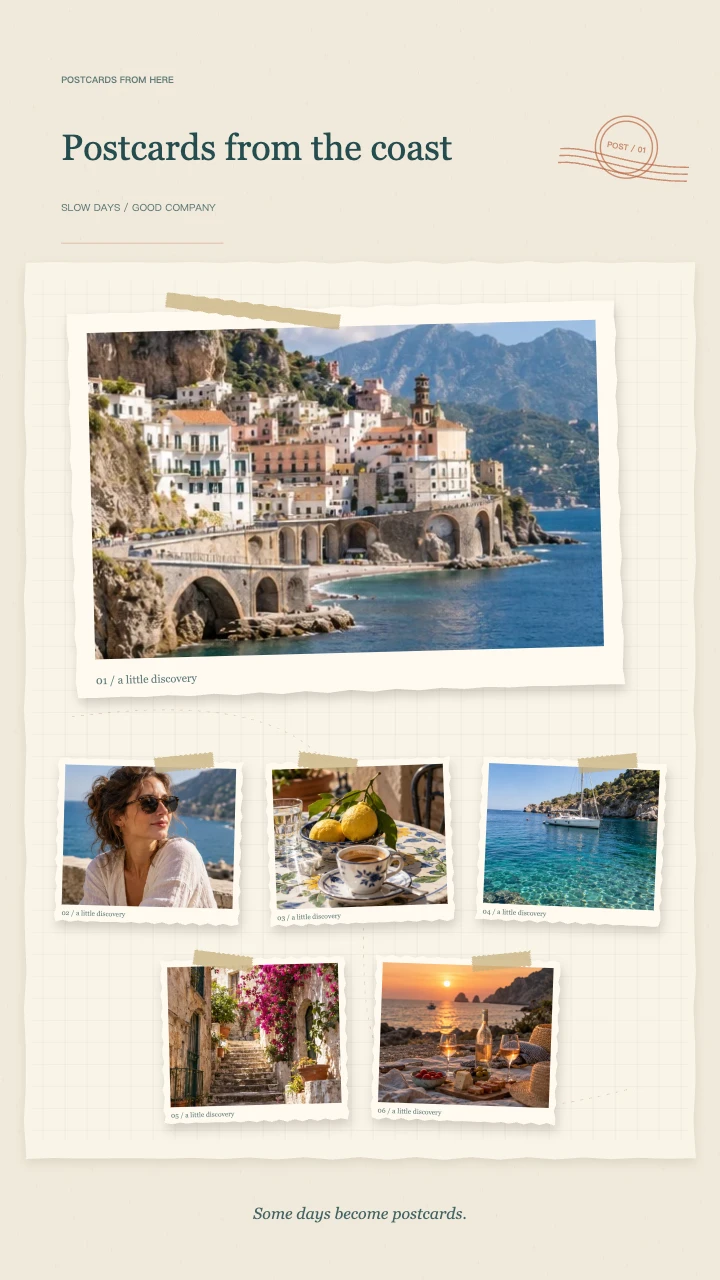
Travel journal
A wide postcard, layered snapshots and travel-journal details for the places you want to remember.
Open template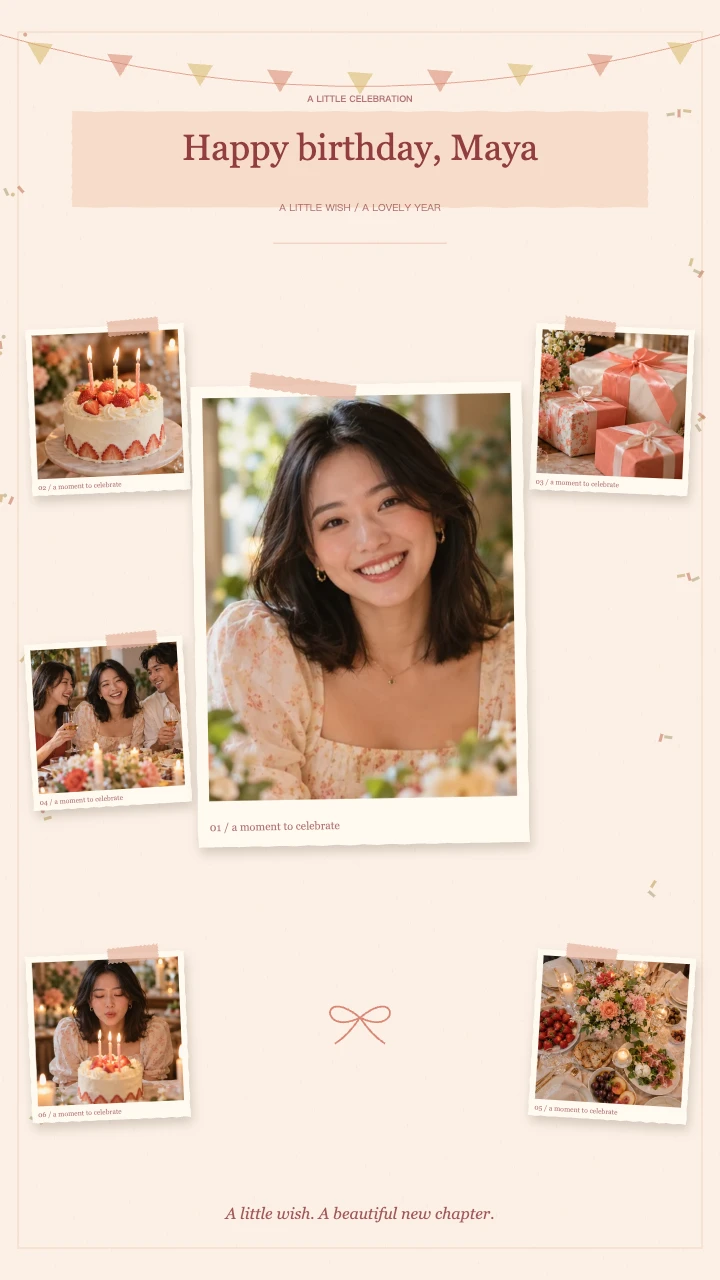
Birthday wishes
A portrait in the spotlight, favorite memories around it and a little confetti to celebrate.
Open template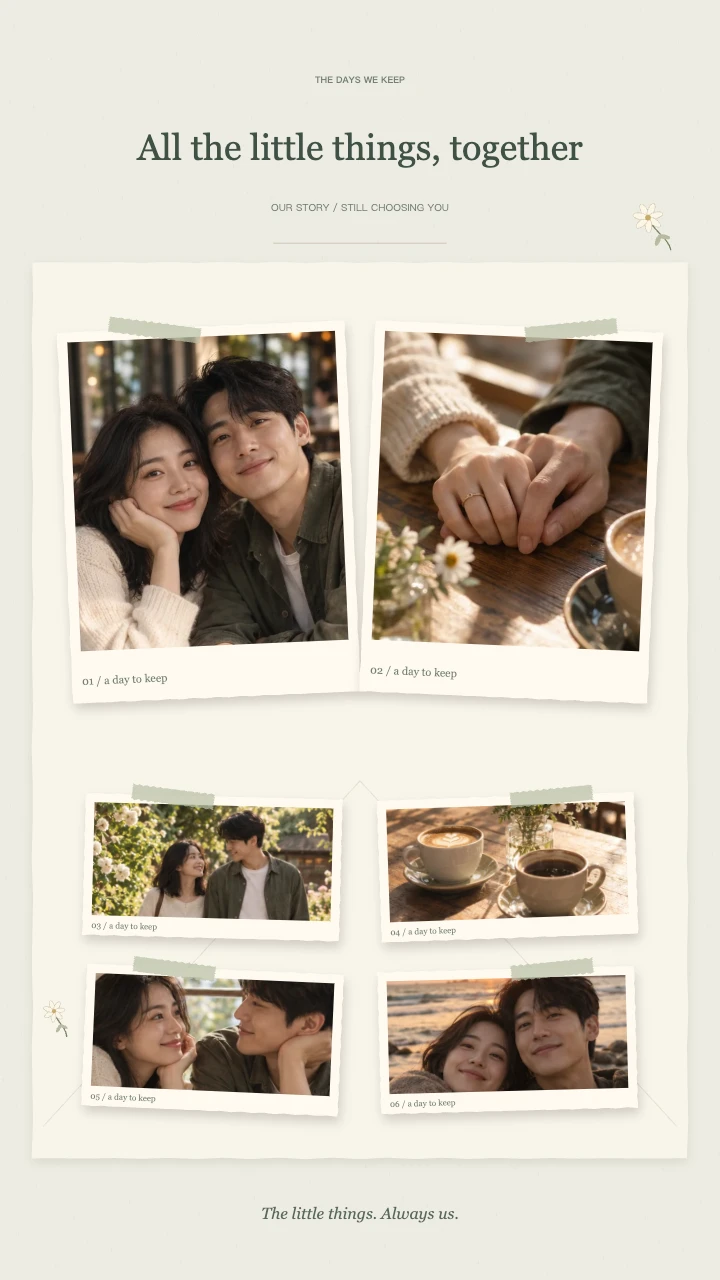
Our little story
Two keepsake prints, soft botanical details and a slower unfolding of your shared days.
Open templateAI-generated demo photos · fictional people and scenes · replace with your photos
Tell a shared story in an anniversary scrapbook video
Choose 5–8 moments that show different parts of your time together. An early memory, an ordinary day, a trip and a recent portrait can create a simple progression. Chronological order works well, but emotional connections matter more than a perfect timeline.
Not every picture needs to be a posed portrait. A familiar place, a meal or a detail from a shared day can make an anniversary scrapbook video feel personal. Choose images that the recipient will recognize without a long explanation.
Personalize your anniversary scrapbook video title
Keep the main title short: Still Choosing You, Five Years of Us or The Little Things We Keep. Use the note field for your anniversary date or a place that belongs to the story.
Our Little Story is the default theme on this page. Two large keepsake prints lead the composition, followed by smaller memories and botanical details. Its entrances are gentler than the birthday theme, ending with all photos together; it does not create a separate wedding film or multi-page book.
Check both people in every photo
A center crop can cut one person from a couple portrait. Open each picture and adjust the focus until both faces have room around the edges. If the original is especially wide, consider a landscape canvas or a different photo instead of excessive zoom.
Pause through your anniversary scrapbook video and look at the final layout before rendering. Use a longer 15-second sequence when you want a calmer rhythm, or 10 seconds when the video will be a brief introduction to a message or larger edit.
Export a keepsake and save your own copy
The anniversary scrapbook video can be exported as a 720p or 1080p MP4 at 30fps. Preview without signing in, then use your account credits to render: 1 credit for 720p and 2 for 1080p.
The optional original melody is included in the exported file when enabled. You may also export silently and add narration or music elsewhere. Finished files are stored for 90 days, so keep a downloaded copy if the video is a long-term gift.
Choose an anniversary scrapbook video story arc
An anniversary scrapbook video can follow years together, but it can also stay with one meaningful period. You might choose a first holiday, the move into a shared home or small moments from the past year. Decide what the collection is about before filling the photo slots, so every image contributes to the same idea.
For a chronological anniversary scrapbook video, start with an early photograph and finish with something recent. For a story about everyday life, alternate people and familiar places. Both approaches work with the grouped card animation; the order of your pictures supplies the narrative rather than a generated relationship timeline.
Keep an anniversary scrapbook video quietly personal
The most meaningful anniversary scrapbook video does not need a public milestone in every frame. A familiar café, a pet, a view from a window or a meal you made together can represent a shared memory. Include enough pictures of people to anchor the story, then let these details make the collection distinctive.
Watch the anniversary scrapbook video as a recipient, not only as its editor. Can you recognize the memory while each photo is moving? Does the title help rather than explain everything? Replace a confusing image or simplify the wording before adding more material to an already short sequence.
Choose sound for your anniversary scrapbook video
An anniversary scrapbook video can include the tool's original instrumental melody, or remain silent for a more personal soundtrack added elsewhere. The generator does not import a song from your device or a streaming link. If a particular recording matters to the story, handle that audio in a separate editor with the appropriate rights.
For an anniversary scrapbook video with a spoken dedication, export without the melody and place the MP4 under your voice-over in another app. A few carefully chosen sentences can accompany the memory sequence. Keep longer letters separate, since the built-in title and note are designed for short text rather than full-page messages.
Save an anniversary scrapbook video as a keepsake
Before sending an anniversary scrapbook video, check names, dates and the complete downloaded animation. Make sure both people remain visible in couple portraits, and verify that any intended audio is present. The preview helps you edit, but the exported file is the version that needs to work on the recipient's device.
Download your anniversary scrapbook video and keep a backup with the source photographs. Account storage lasts 90 days and is not a permanent family archive. If you want a revised version later, retain the originals and your title text; editable projects are not synchronized to the cloud in this version.
FAQ
A few things worth knowing.
The details on your photos, free previews and finished videos.
What should I include in an anniversary scrapbook video?
Select 5–8 shared memories with different settings: an early photo, an everyday moment, a trip, a detail and a recent portrait. Add a brief title and anniversary date.
Can I make a couple memory video without an anniversary?
Yes. The title and date are editable, so the neutral theme can be used for a relationship recap, a small gift or another shared occasion.
Can I include a long personal letter?
The animation has a short title and note field rather than a long letter layout. Put the longer message in a caption, card or separate video section so it remains readable.
How much does an anniversary photo video cost?
Editing and preview are free without an account. Sign in to export: 720p costs 1 credit and 1080p costs 2 credits. The tool uses your existing account balance; there is no separate first-export allowance. Failed or cancelled exports release reserved credits. Download the finished MP4 to keep a local copy.
Your next memory, on paper.
Bring 5–8 photos. Start with a free preview.